
GlowVerse: Bible & Daily Verse
Everblessed Technology Inc.Books & Reference
4.8296.00 Reviews
- Version
- 1.3.1
- Installs
- 100.00K
- Age Rating
- Everyone
Screenshots
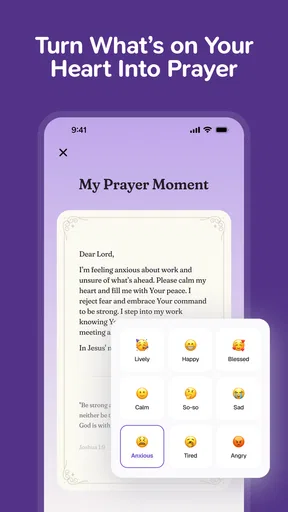
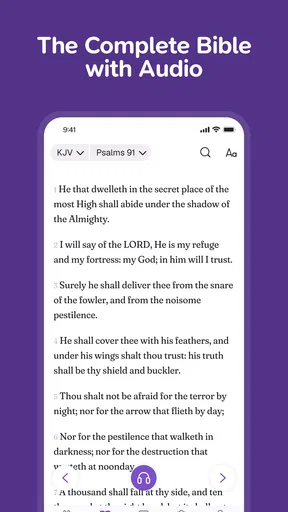
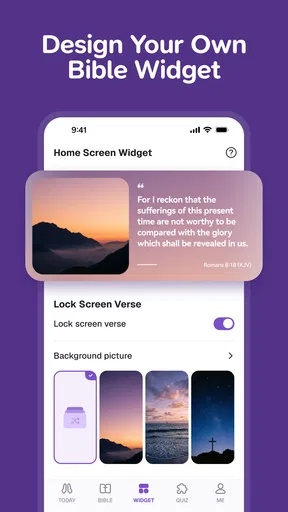
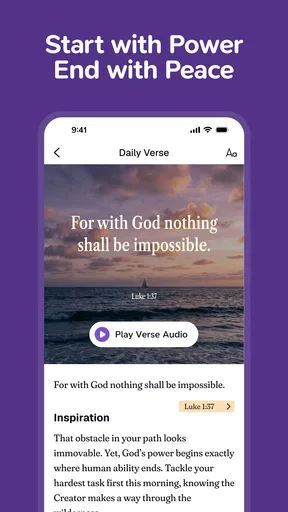
Our Review of GlowVerse: Bible & Daily Verse
 Analysis by Appyee
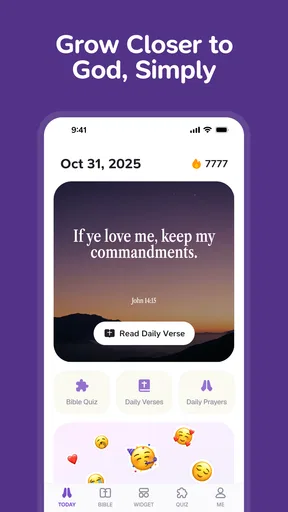
I approached GlowVerse: Bible & Daily Verse as a small daily reading companion rather than a replacement for a full Bible study library. It belongs to the Books & Reference category, is free to use, and focuses on a simple rhythm: begin the day with a verse, listen when reading is inconvenient, and keep a short reminder visible through widgets. That combination sounds straightforward, but the real value depends on how well it fits your routine.
After spending time with the app, my impression is that its strongest quality is accessibility. It gives a Bible-centered prompt a clear place in the day without making the experience feel like a research project. I can open it for a quick moment, read or listen, and move on. At the same time, people looking for extensive study tools, broad reference material, or a highly customizable reading system may find the experience narrower than expected.
Where the first-use experience can become confusing
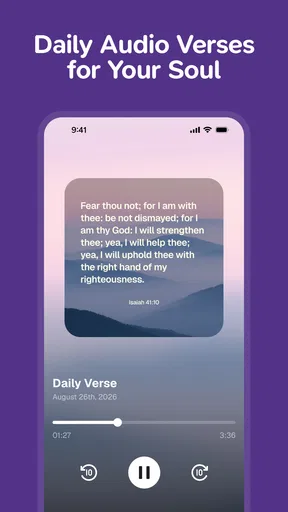
The initial appeal is easy to understand: daily verses, an audio Bible, and a widget offer several ways to stay connected with Scripture. The possible friction comes from deciding which of those paths should become your main one. If I treat the app as a verse-of-the-day tool, I expect a quick, focused interaction. If I approach it as a complete Bible reader, I naturally look for deeper navigation, study aids, and a more structured long-term plan. Those are different expectations, and the app works best when I choose the first one deliberately.
A useful first step is to decide what you want from each visit. For a morning check-in, the daily verse and widget are likely the most convenient route. For listening while commuting, cooking, or walking, the audio Bible is more practical than trying to read from a screen. For a quiet evening, opening the app and staying with the passage for longer may feel more natural. I would not switch between all available options randomly at the beginning, because that can make the app feel less organized than it really is.
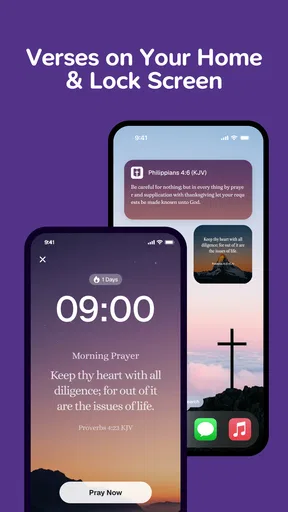
The widget deserves particular attention. A widget is helpful only when it supports a habit rather than becoming visual noise on the home screen. I would place it somewhere I already look, such as near other morning tools, and give it a few days before deciding whether it earns its space. If I check it repeatedly without reading the verse, moving it to a less prominent position may make the interaction more intentional.
Another common sticking point is assuming that an audio option should replace reading in every situation. Listening is excellent when my hands are occupied, but it is not always the best way to notice wording, references, or a passage’s structure. I get more from the app when I treat audio as a separate mode with its own purpose instead of expecting it to deliver exactly the same experience as reading.
The app is also not designed to solve every kind of religious reading need. Someone wanting a scholarly reference shelf, multiple translations side by side, extensive cross-references, or detailed annotation may be happier with a dedicated Bible study application. GlowVerse is more convincing as a gentle daily touchpoint. That distinction is important before spending time trying to turn it into something broader.
What I check before blaming the app
When a widget fails to appear, updates slowly, or does not behave as expected, I begin with the phone rather than immediately assuming the application is broken. I check that the app has been installed normally, that the device is running a compatible system, and that the widget was added through the phone’s own home-screen controls. A widget can be available in an app while still requiring a separate placement step from the device interface.
I also look at whether the phone is connected properly when I first open the app. Daily content and audio can be affected by a weak or changing connection, and a partial load can look like an application error. My basic check is simple: close the app, confirm that another ordinary page loads, then open GlowVerse again. This avoids repeatedly tapping the same control while the phone is still struggling to connect.
For audio, I check the obvious things that are easy to overlook. I make sure the media volume is raised rather than only the ringtone volume, confirm that another Bluetooth device has not taken over playback, and try again after disconnecting headphones if necessary. If sound works elsewhere but not in this app, restarting the app is a sensible next step. If sound fails across several applications, the issue is probably broader than GlowVerse.
The same careful approach helps with the daily verse. If the content does not refresh when I expect it to, I avoid repeatedly reinstalling the application. I first reopen it, check the connection, and give the screen a moment to finish loading. A phone that is switching between mobile data and Wi-Fi can create temporary confusion, especially when the rest of the device appears to be online.
Version awareness is worthwhile too. The current release is 1.2.5, and the app requires Android 8.0 or newer. That makes the compatibility check quick: if the phone is older than the minimum system requirement, changing settings inside the app will not solve the problem. On a supported device, keeping the installed version current is a more sensible starting point than searching for complicated workarounds.
A setup routine that avoids unnecessary friction
My preferred setup is intentionally modest. I install the app, open it once while the connection is stable, test the daily reading, and then try the audio separately. Only after both basic paths work do I add the widget. This order matters because it separates three possible problems: the application itself, audio output, and home-screen placement. If I add everything at once, it becomes harder to tell which part needs attention.
I also decide where audio fits into my day before relying on it. If I want to listen during a walk, I test it at home first, with the same headphones or speaker I plan to use outside. That catches simple problems such as muted media output or an unexpected Bluetooth connection. It also lets me learn whether I prefer a short reading session or a longer listening period without the pressure of being somewhere else.
For the widget, I would avoid placing it on a crowded screen full of changing panels. A clean location makes the verse easier to notice and reduces the chance that it gets buried among other information. If the text is difficult to read against the chosen background or the widget feels distracting, I would change its position before abandoning the feature altogether.
One practical habit is to use the app at the same general point in the day, but not to make the routine so strict that missing one session feels like failure. The application’s design supports a small repeatable action. It is less useful when I turn it into a complicated checklist involving reading, listening, widget checking, and extended reflection every time. The best setup is the one I can maintain when the day is busy.
Families should also note the age classification. The app is rated for Everyone, which makes it suitable for a broad audience, but that label does not determine whether its style matches every household’s preferences. Parents may still want to open it with younger users and decide whether the presentation and reading approach fit what they are looking for.
Recovering a routine when something stops working
When a feature becomes unreliable, I use a recovery sequence that starts with the least disruptive action. I close and reopen the app, check the connection, and test one function at a time. If the daily verse loads but audio does not, I focus on sound output rather than treating the whole application as unavailable. If the app works but the widget does not, I remove and add the widget again through the home-screen controls. This kind of separation saves time.
I would also avoid changing several phone settings at once. Turning off battery controls, clearing multiple permissions, and reinstalling immediately can create new variables without proving what fixed the original issue. A better approach is to make one reasonable change, test the affected feature, and continue only if the problem remains. That is especially useful for people who are not comfortable troubleshooting mobile software.
If the app opens to an incomplete screen, I give it a fresh start and confirm that the phone has enough ordinary connectivity for content to load. If the issue appears only on one network, trying another trusted connection can help identify whether the problem is local. If the same failure follows the app across networks and after a restart, I would record exactly what happened before seeking support or checking for a newer release.
Audio has its own recovery path. I pause and resume playback, raise the media volume, inspect the active output, and try the phone speaker. If the speaker works but headphones do not, the application is probably not the main issue. If neither works while other media plays normally, restarting the phone is a reasonable general step. These checks are simple, but they prevent a lot of unnecessary frustration.
Widget problems can also be caused by the phone’s home-screen behavior rather than the reading content. I check whether the widget is still present, whether the home screen has enough space, and whether the device has changed launchers or layouts. If the widget displays stale information while the app itself shows the current verse, I remove it and place it again. That gives the phone a clean chance to reconnect the widget with the installed app.
I would not measure the app’s quality solely by whether every feature works perfectly on the first attempt. Widgets and audio involve parts of the operating system outside the main reading screen, so they can be more sensitive to device conditions. What matters to me is whether the basic reading experience remains useful and whether a small, logical recovery process restores the optional features.
When the app is not the cause
Some apparent failures are really mismatches between the app and the situation. Reading on a bright outdoor screen can be uncomfortable even when the text is displayed correctly. Listening in a noisy place can make an otherwise clear audio feature feel ineffective. A widget placed among too many icons can be easy to overlook. In each case, changing the environment may help more than changing the software.
There is also a difference between wanting a daily prompt and wanting a complete study workflow. If I search for a particular passage, compare interpretations, or build a detailed set of notes, a specialized reference app is likely the better tool. GlowVerse can still serve as the place where I begin the day, but I should not expect it to replace every other resource on my phone.
The same applies to people who prefer total control over their reading plan. A dedicated study platform may offer more ways to organize books, topics, notes, and long sessions. GlowVerse feels better suited to users who appreciate a guided starting point and do not want to spend much time configuring the experience. Its simplicity is a strength until simplicity becomes a limitation.
On the other hand, people who avoid screen time may find the audio option especially useful. I can use the app during a task that does not allow comfortable reading, which gives it a role beyond the usual short devotional check. The trade-off is that listening requires a suitable sound environment, while a written verse can be revisited silently and quickly.
The developer, Everblessed Technology Inc., has positioned the product as an accessible daily Bible app rather than a general-purpose book reader. That focus comes through in the way I use it: I return for a small, repeatable moment, not for a large research session. The app makes sense for someone who wants a low-effort reminder and a listening option in one place.
A realistic day with GlowVerse
Imagine a weekday morning when I have only a few minutes before leaving home. I glance at the widget, open the app if I want more context, and read the verse without trying to turn the moment into a long session. Later, while preparing lunch or walking, I use the audio Bible instead of holding the phone. In the evening, I can return to the written view if I want to revisit the passage more carefully.
That workflow shows where the app earns its place. It does not demand that every interaction look the same. The widget handles discovery, the main screen supports quick reading, and audio fits a hands-busy part of the day. I find that more practical than using a single rigid reminder that I eventually start ignoring.
There is a useful trade-off here: the more casually I use the app, the less likely I am to build a detailed record of what I have studied. That is not necessarily a flaw, but it affects who should choose it. If my goal is consistency and a calm entry point, the lightweight design helps. If my goal is systematic analysis, I need another tool alongside it.
My practical verdict after regular use
GlowVerse: Bible & Daily Verse is a focused, free Books & Reference app for people who want Scripture to appear naturally in everyday routines. Its combination of daily reading, audio access, and a widget gives me more flexibility than a basic verse reminder, while still keeping the experience approachable. I especially like it for mornings, short pauses, and listening when reading is inconvenient.
The app has also built a strong audience, with a 4.7 average from around 2.9 thousand ratings and more than 100 thousand installs. Those figures suggest that its straightforward approach is connecting with many users, but they do not change the central question: does a daily companion match what you need? I would judge it by that fit rather than by popularity alone.
Its limitations are clear enough to matter. I would skip it if I needed extensive research tools, a highly detailed study plan, or a full reference environment with advanced organization. I would also avoid relying on the widget as my only interaction if I tend to ignore home-screen reminders. In those cases, a more specialized Bible platform or a simpler paper-based routine may serve me better.
For everyone else, I recommend starting small: test the written verse, test audio with the output you actually use, and add the widget only if it supports a habit you genuinely want. If something goes wrong, separate the reading, sound, and home-screen checks instead of treating every problem as one large failure. That approach reflects the app’s real character: it is most successful when it stays a calm, practical part of the day.
The release is free, rated for Everyone, and currently available as version 1.2.5 for devices running Android 8.0 or later. My final view is positive, with one condition: use it as a daily Bible companion, not as a promise of an all-purpose study suite. Within that role, it is easy to recommend to a friend who wants a simple way to read or listen regularly without adding another complicated system to life.
Privacy and Permissions
See what permissions an app requests and how it handles your data.
- Photos/Media/Files
- read the contents of your USB storage, modify or delete the contents of your USB storage
- Storage
- read the contents of your USB storage, modify or delete the contents of your USB storage
- Wi-Fi connection information
- view Wi-Fi connections
- Other
- view network connections, full network access, run at startup, draw over other apps, control vibration, prevent device from sleeping, Google Play license check, read Google service configuration
Verdict
Strengths of GlowVerse: Bible & Daily Verse
- Personalized daily Bible verses encourage consistent spiritual reflection.
- Clean, calming design makes reading comfortable and distraction-free.
- Multiple Bible translations help compare wording and interpretations.
- Verse reminders can support a regular devotional routine.
- Useful sharing options make it easy to send verses to friends or family.
Limitations of GlowVerse: Bible & Daily Verse
- Some translations or study features may require a premium subscription.
- Daily content can feel repetitive for users seeking deeper Bible study.
- Personalization options may be limited compared with dedicated Bible apps.
- Reminder notifications may become intrusive if configured too frequently.
- An internet connection may be needed for some content and app features.
Other Releases by Everblessed Technology Inc.
View All
Blessed - Bible Verse & Prayer
Books & Reference4.6
Similar Picks in This Category
View All
Google Play Books & Audiobooks
Google LLC4.7

네이버 - NAVER
NAVER Corp.3.5

Wattpad - Read & Write Stories
Wattpad.com3.7

King James Bible - Verse+Audio
Ozion4.8

Bible Offline-KJV Holy Bible
Bíblia Offline4.9

Amazon Kindle: Reading App
Amazon Mobile LLC4.8
Frequently Asked Questions
What is GlowVerse: Bible & Daily Verse?
GlowVerse: Bible & Daily Verse is a Christian devotional app designed to help users read Scripture and maintain a daily faith routine. It typically combines Bible passages with verse-of-the-day content, reflective messages, and a calming mobile reading experience. It may be useful for personal devotion, encouragement, prayer preparation, or discovering meaningful verses during a busy day.
Does GlowVerse: Bible & Daily Verse work offline?
Offline availability may depend on the specific Bible translation, devotional content, and app version. Some previously loaded passages might remain accessible without an internet connection, while daily updates, images, notifications, or newly requested content may require mobile data or Wi-Fi. Before relying on the app during travel or in areas with limited coverage, open your preferred content while connected and check what remains available offline.
Is GlowVerse: Bible & Daily Verse free to download?
GlowVerse: Bible & Daily Verse may be available as a free download, but some features or content could require in-app purchases or a subscription. Depending on the version, premium options may include additional translations, expanded devotional material, customization tools, or an ad-free experience. Review the store listing and subscription terms carefully before confirming any payment, especially if a free trial is offered.
Can I customize reminders and daily Bible verse notifications?
The app is intended to support consistent Bible reading, so it may offer reminders or notifications for daily verses and devotional content. Available controls can vary by device and app version, but users should look for settings related to notification times, frequency, sound, and permission access. If reminders do not appear, check both GlowVerse settings and your phone’s system notification settings.
Is GlowVerse suitable for serious Bible study?
GlowVerse can be helpful for daily encouragement, verse discovery, and building a regular Scripture-reading habit, but it may not replace a complete study Bible or dedicated research tool. Users seeking detailed commentary, original-language resources, cross-references, reading plans, or theological study should confirm which features are included. The app is best viewed as a convenient devotional companion rather than a comprehensive academic resource.
